Invitations
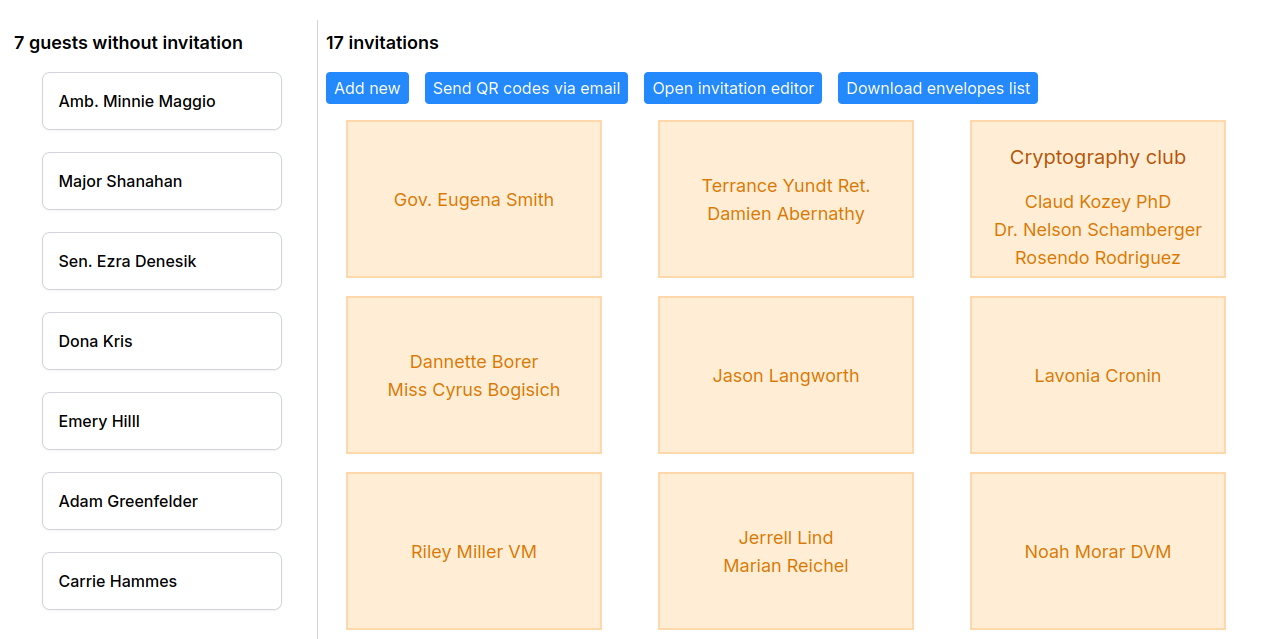
Often times, several guests will be grouped in the same invitation, for example in the case of couples and close family. In this tab you can configure who will be included in each invitation.
In the left colum you can find the names of the guests that don't have an invitation assigned yet. In the right, there is a list of the invitations that have already been defined. Simply drag and drop a guest from the left column to an invitation in the right to include them. It is also possible to drag and drop guests within an invitation to change the relative order between them (for example, in the RSVP form).
When you hover over an invitation, you'll see three icons:
- An ID icon that will assign a sample name to the invitation. Upon clicking on the name, you will be able to edit or remove the name from the invitation, as well as discard changes. This icon is hidden if the invitation already has a name.
- A link icon that will copy the URL of the RSVP form to your clipboard. You can send this link to them via your preferred channel, or use the Send QR codes via email button, which will send you (the admin) an email with a link where you can download a file containing all invitations as images. These invitations will match the style configured in the invitation editor, and will contain a unique RSVP code per invitation, and the names of the guests in the invitation (if configured). This feature is handy, for example, if you plan to print and send the invitations to your friends.
- A trash icon to delete the invitation. The guests assigned (if any) will be placed in the left column, along with the rest of guests that don't have an invitation assigned.


At this moment there is no feature to remove a guest from an invitation, so you'll need to delete and re-create the invitation.
Once the images have been downloaded and extracted, you can use your image viewer's printing features to arrange them into the desired layout (e.g., 2x2, 4 invitations per page) and print to a file (PDF format).
Alternatively, you can use img2pdf *.png -o invitations.pdf to turn them into a single PDF document (one invitation per page). Then, you can use the PDF viewer's printing feature do the same thing.
Invitation editor
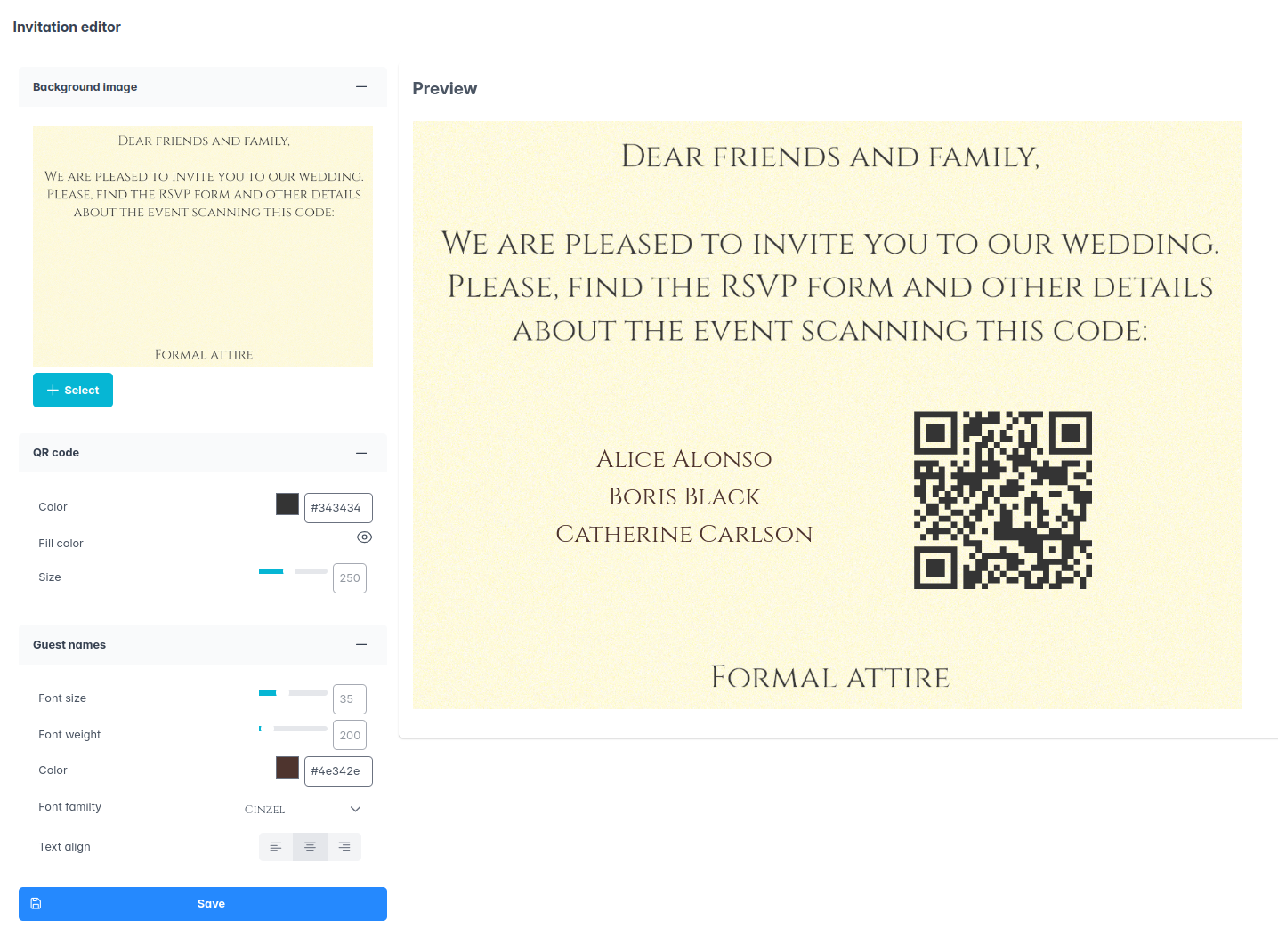
The invitation editor allows you to configure how the aforementioned images with QR codes will look like. There are several aspects that can be configured:
- Background image.
- QR code style: color, background color (if any), size and position (drag and drop).
- Guest names style: color, font family, size, weight, alignment (left, center, right) and position (drag and drop). Bringing the font size to zero will make the text disappear.
The Preview section will automatically reflect the changes made on the sidebar. Click the Save button at the bottom to persist the changes.
The list of fonts available is fairly limited. More fonts can be installed upon request, as long as they have a free license (OFL or similar). Please use the issue tracker to request new fonts to be added.
Envelopes list
Sometimes, you want to get a document with the list of names that you have to print or handwrite on the envelopes. The button download envelopes list will download a PDF document that will contain:
- The name of the invitation, if one has been provided, or
- The names of the guests, joined with &