Table distributions
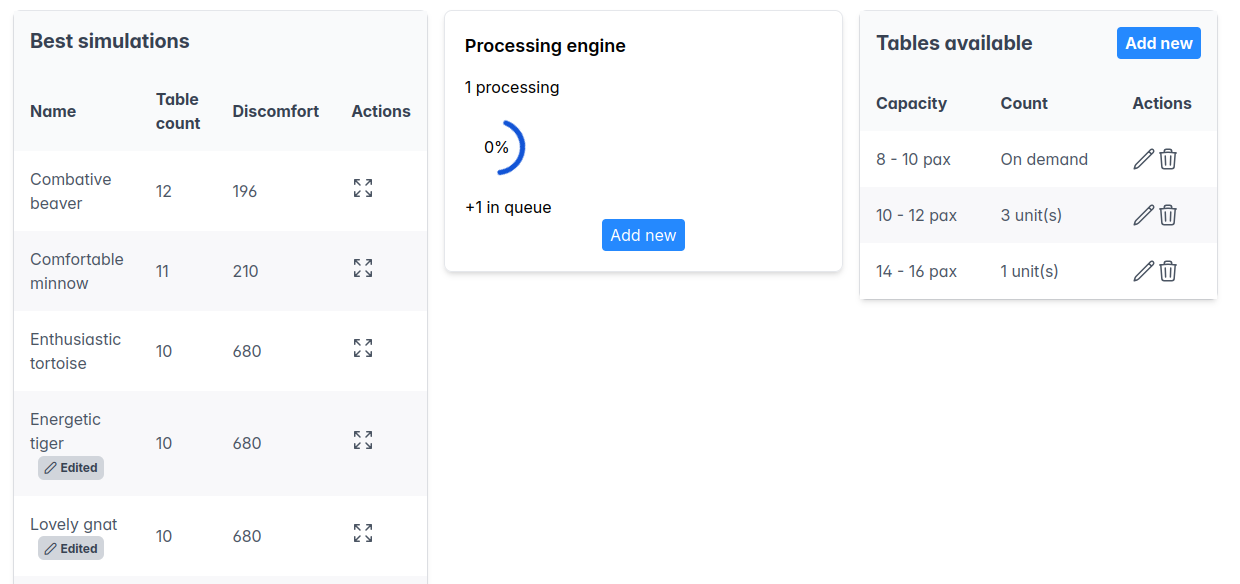
In this section you will manage how guests are distributed into tables for the banquet. You will find several sections:
Best simulations
Lists the best simulations the engine has been able to find so far. You can click on the expand icon to see the detils of a certain simulation.
System-generated simulations are not editable. However, you can clone an existing simulation and edit it. Edited simulations are identified by an Edited label by the side of the name.
Distribution editor
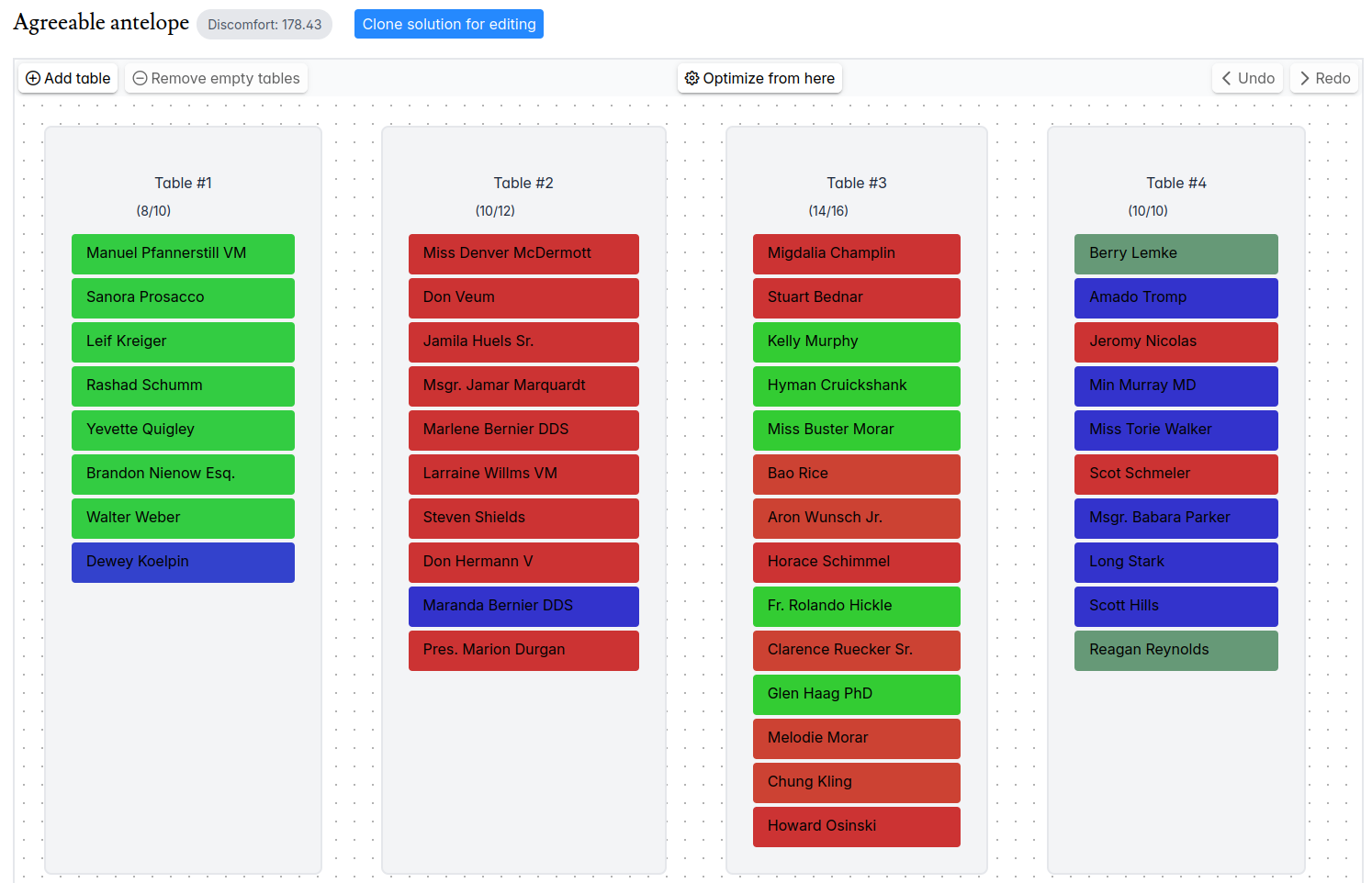
When you expand the details of an editable simulation, an editor will be displayed. Some of the features available are:
- Move guests between tables, using drag-and-drop.
- Create an empty table.
- Remove empty table (in roadmap).
- Pin a guest to a table using the thumbtack icon revealed on hover. This ensures a guest is fixed to a table if the simulation is further optimized.
- Optimize from here. Request the system a new simulation starting from the current solution (after all user edits). Useful in the following cases:
- After major improvements of the optimization engine.
- Following manual editions with new guest pins. Only guests pinned to tables are guaranteed to remain in the same table. However, pinning too many guests to tables reduces the combinations available for the optimization engine to find new solutions.
- After updating the affinities between groups.
- Undo/Redo (in roadmap), to navigate through the history of editions.
Distribution details
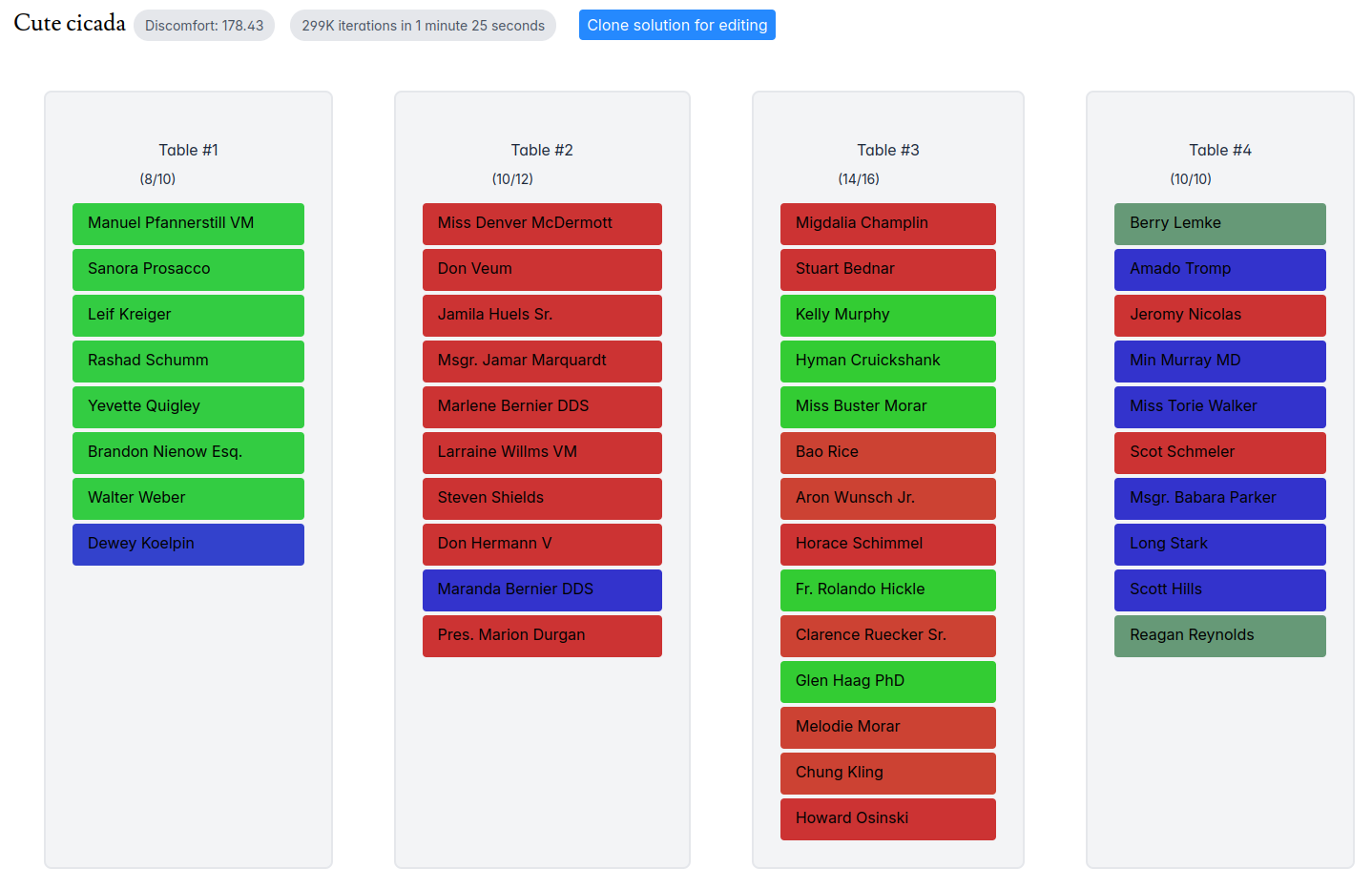
Besides the distribution of guests in tables, the distribution details page shows the following information:
- Discomfort: the numeric score of this distribution (the lower the better!).
- Engine stats: the number of combinations calculated during the optimization process and the processing time.
Processing engine
The processing engine is responsible for determining how guests will be distributed into tables in the banquet. This process is non-deterministic, so multiple runs may (and often, will) produce different results. This is also a resource, intensive task that runs in a queue in the server, so you won't be allowed to queue more than 5 jobs at any given time. More jobs can be added as the queued ones are completed.
Keep in mind that the queue is shared with other users in the platform, so you will probably experience a significant delay if other users are also computing simulations at the same time. Just put the jobs in the queue, sit back, and wait until the results are ready, probably hours later.
The more guests in the wedding, the longer the simulation will take.
Tables available
In this component you can determine the size and amount of the tables that are available for the distribution. It is possible that the venue has a limited amount of tables of different sizes. If you don't specify an amount, the system will assume it can use tables of this kind on demand, or as many as needed.
The processing engine will try to respect the capacity boundaries of the tables, but this is not guaranteed. For example, say a table has a max capacity of 10 people, it may fit 11 people to compensate the discomfort of splitting a group of 11 people into halves, and mix them with other smaller groups.